Import medications from Apple Health
Bring the medications you choose from Apple Health into your emergency card's medication list on iPhone. SecureKeep reads them once and never writes to Health.
-
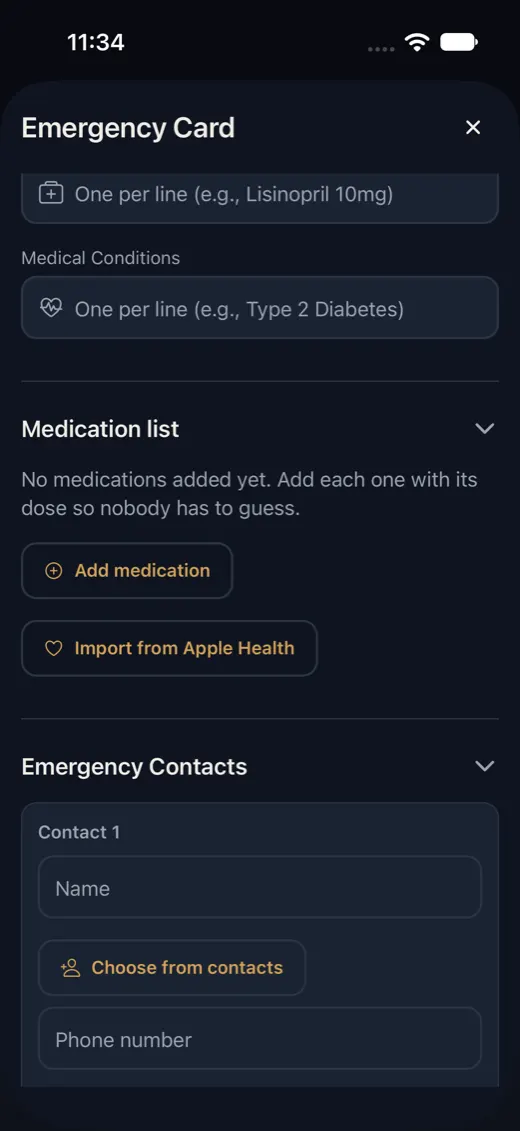
Open the medication list
In SecureKeep, open your emergency card and tap the edit button, then open Medication list. Tap Import from Apple Health.
It shows on iPhones with iOS 26 or later. On Android and older iPhones, add medications by hand with Add medication.
-
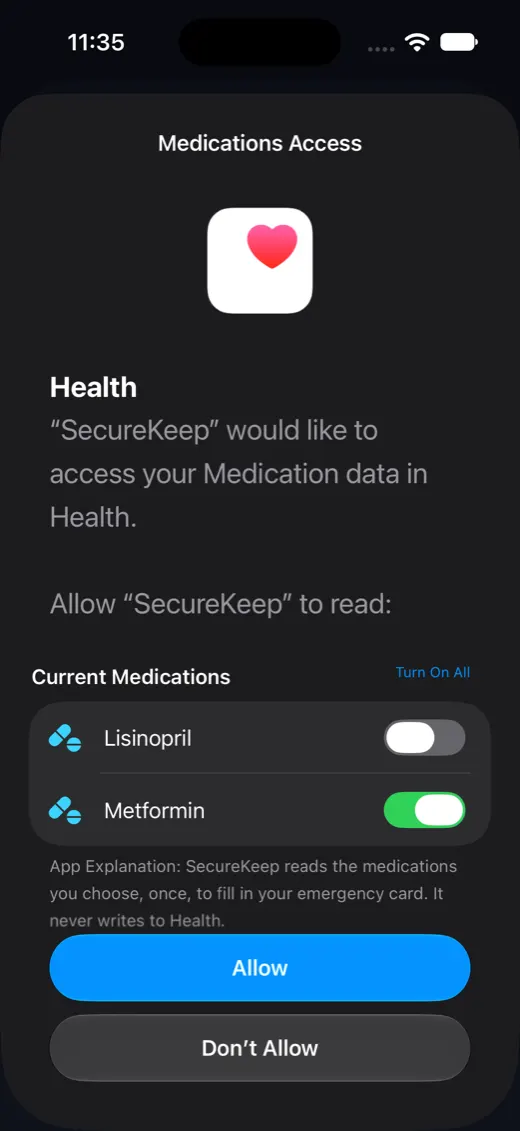
Choose what SecureKeep may read
Apple shows Medications Access with your current medications. Switch on the ones SecureKeep may see, then tap Allow.
Anything you leave off stays hidden from SecureKeep, and iOS remembers your choice.
-
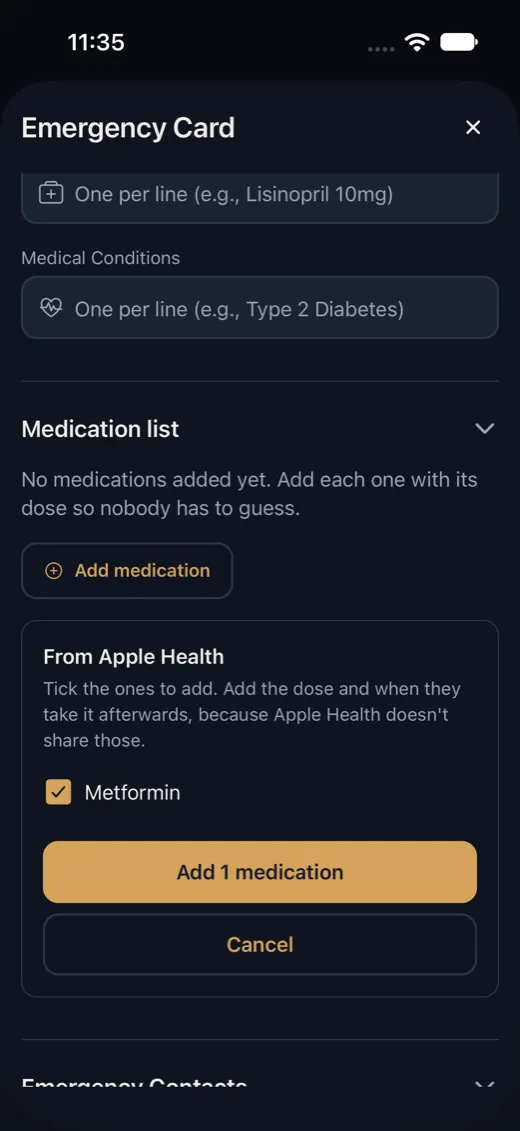
Pick the ones to add
SecureKeep lists what you allowed, each ticked. Untick any you don't want, then tap Add.
Medications already on your list are skipped, so importing twice doesn't make copies.
-
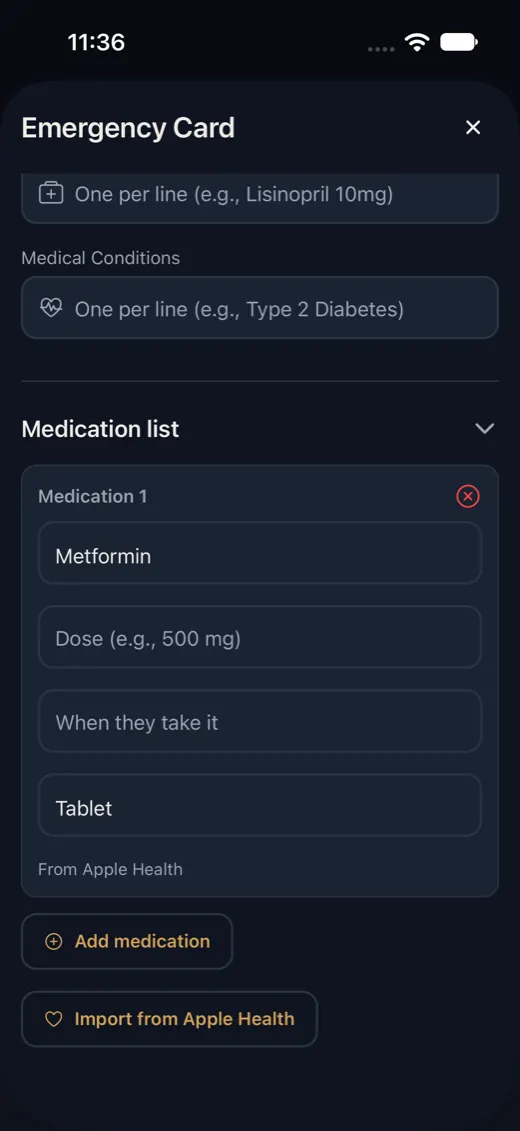
Add the dose and save
Each new row is marked From Apple Health. Apple Health shares the name and form but not the dose or when it's taken, so fill those in.
Tap Save Emergency Card. Nothing is saved before that.
Good to know
- SecureKeep reads only the medications you choose, once, and never writes to Health. iPhone only.
- Imported medications are stored in your emergency card, encrypted on your phone like the rest of your vault. Nothing is sent to us.
- The emergency card doesn't count toward the free limit of 10 items.
If it doesn't work
- There's no Import from Apple Health button
- It needs an iPhone with iOS 26 or later. On Android or an older iPhone, tap Add medication and type each one.
- It says "No medications were shared."
- You didn't switch any on, or there are none in Apple Health yet. Add them in the Health app under Browse, then Medications, or type them in SecureKeep.
- It says "Everything you shared is already on the list."
- Those medications are already in your emergency card. iOS only asks again about medications you haven't decided on yet.
- It says "Couldn't read from Apple Health."
- Try again in a moment, or add the medications by hand.
Does your screen look different from this guide? Tell us and we'll update it.