See what's missing and say what happens to each account
See what's still missing from your vault, and say what should happen to each account.
-
See what's missing
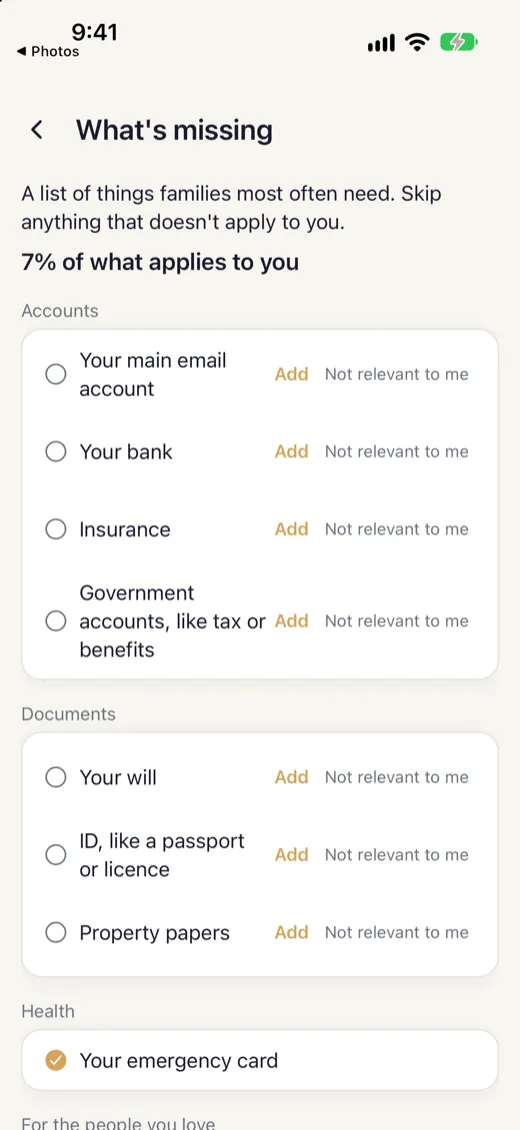
Open What's missing from your vault. It lists the things families most often need, like your main email account, your bank, your will and your ID, with the share of what applies to you that you've covered.
-
Skip what doesn't apply
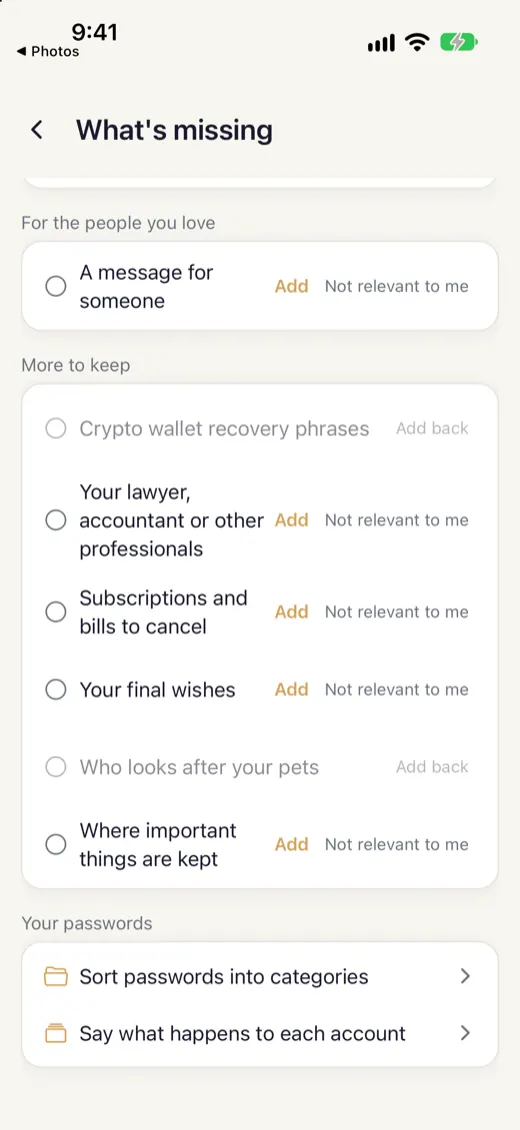
Tap Not relevant to me next to anything that doesn't apply to you, and it stops counting. Tap Add to fill a gap.
-
Sort imported passwords
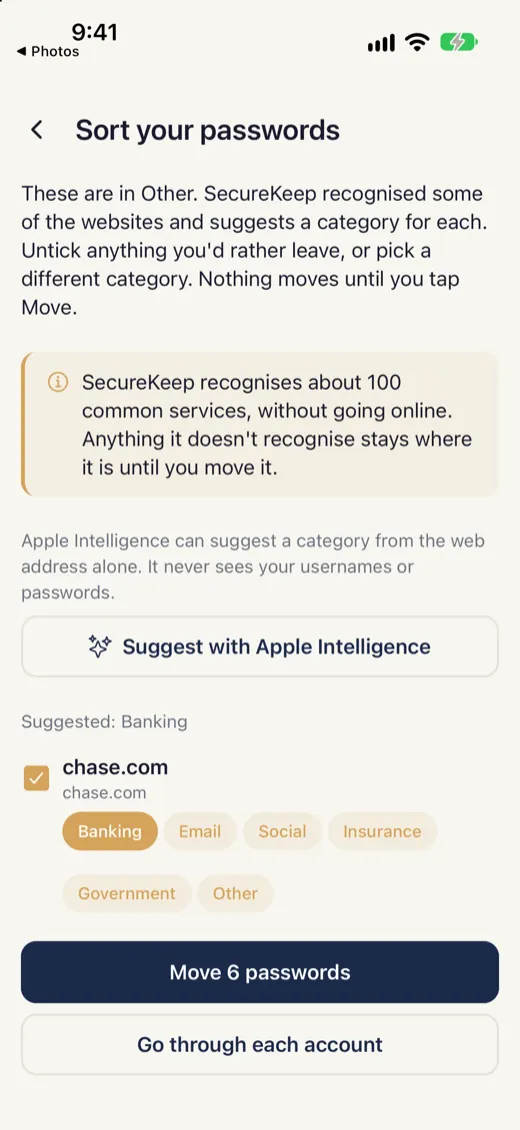
If you imported passwords from a file, Sort suggests a category for each. You check the suggestions before anything moves.
-
Say what happens to each account
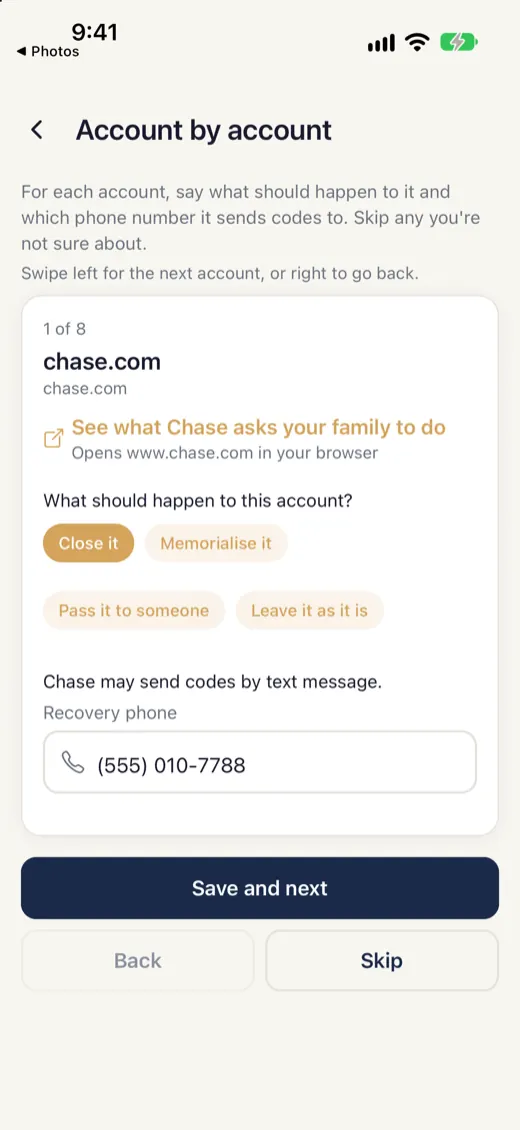
Go through your accounts one at a time and say what should happen to each: close it, keep it, or hand it on.
-
See which accounts depend on your phone
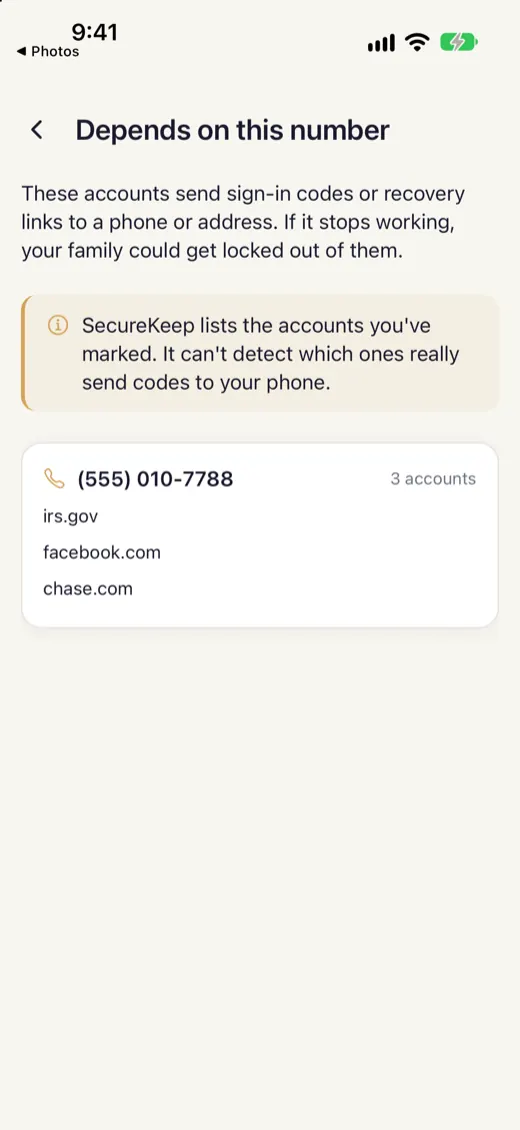
SecureKeep shows which accounts use your phone number to sign in, so your family knows which ones may be hard to open.
Good to know
- SecureKeep recognises about 100 common services, without going online. Anything it doesn't recognise stays where it is until you move it.
If it doesn't work
- A service isn't recognised
- It stays in Other until you move it. Open the password and pick a category.
- I marked something not relevant by mistake
- Open What's missing and tap the item again to bring it back.
Does your screen look different from this guide? Tell us and we'll update it.